



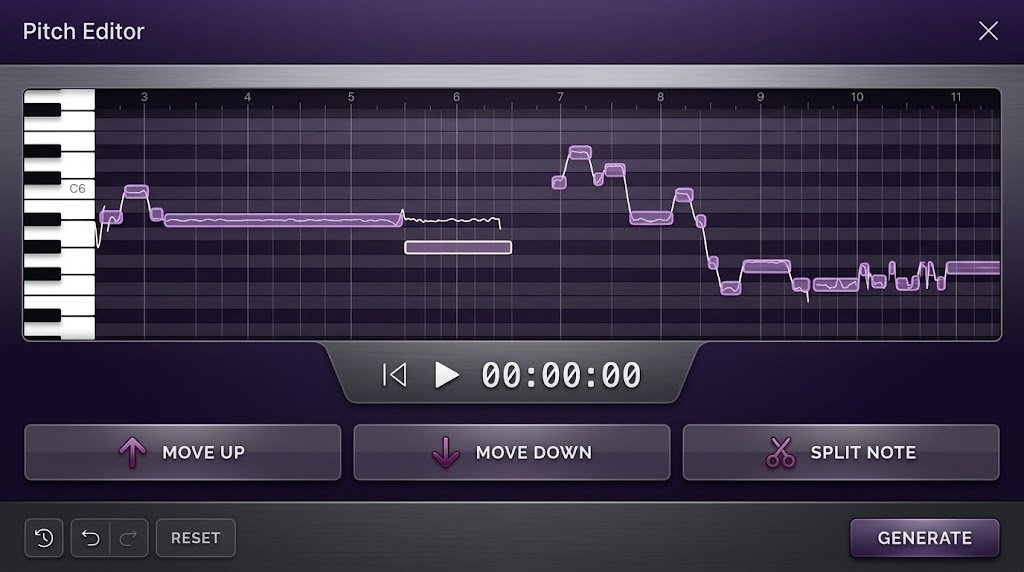
Voice editing has become easier and more accessible with the rise of artificial intelligence. An AI pitch changer can modify the pitch of a recorded or live voice without requiring advanced audio-production skills.
Whether you are a content creator, musician, podcaster, gamer, voice actor, or simply someone experimenting with audio, AI-powered pitch-changing tools can help you create distinctive vocal effects quickly.
What Is an AI Pitch Changer?
An AI pitch changer is a voice or audio editing tool that uses artificial intelligence and advanced signal-processing technology to change the pitch of a person’s voice.
Unlike traditional pitch-shifting software, modern AI tools can often analyze vocal characteristics and make adjustments while attempting to preserve natural speech, clarity, and timing.
The result can range from subtle corrections to dramatic voice transformations. You can make a voice sound deeper, higher, younger, more stylized, or completely different depending on the capabilities of the tool.
How Does an AI Pitch Changer Work?
At a basic level, pitch changing involves modifying the frequency characteristics of an audio signal. AI-powered systems take this process further by analyzing the voice and separating important vocal characteristics from other elements of the recording.
This can allow the software to make pitch adjustments while minimizing unwanted artifacts such as distortion, robotic sounds, or unnatural changes in speech.
Some advanced AI voice editors can process audio in real time, while others work with uploaded recordings. Real-time tools are particularly useful for gaming, live streaming, online meetings, and virtual performances.
Why Use an AI Pitch Changer?
One of the biggest advantages of an AI pitch changer is convenience. Traditional audio editing can involve complicated controls and technical terminology, while many AI tools are designed around simple sliders, presets, or automated processing.
For creators, this can significantly reduce the time required to produce a finished voice recording.
AI pitch-changing technology can also be useful for creative experimentation. A single recording can potentially be transformed into several different vocal styles, making the technology valuable for videos, podcasts, music projects, character voices, and social media content.
Best AI Pitch Changer Tools to Consider
The best tool depends on what you want to accomplish. Some platforms focus on real-time voice modification, while others are designed primarily for recorded audio and detailed editing.
When choosing an AI pitch changer, consider factors such as audio quality, supported file formats, real-time processing, ease of use, customization options, export quality, and pricing.
Voice.ai
{“fallbackMarkdown”:”Voice.ai”,”reference”:{“alt”:”Voice.ai”,”category”:”company”,”extra_params”:{“disambiguation”:”AI voice changer platform”},”name”:”Voice.ai”,”prompt_text”:”Voice.ai”,”status”:”done”,”type”:”entity”},”referenceKey”:”0″,”showLoginRequiredCard”:false} is designed around AI-powered voice transformation and real-time voice changing.
It can be useful for users who want to experiment with different voices while gaming, streaming, chatting, or creating online content.
Its appeal comes from the combination of voice effects and AI-based processing, making it a practical option for people who want more than a basic pitch slider.
ElevenLabs
{“fallbackMarkdown”:”ElevenLabs”,”reference”:{“alt”:”ElevenLabs”,”category”:”company”,”extra_params”:{“disambiguation”:”AI voice technology company”},”name”:”ElevenLabs”,”prompt_text”:”ElevenLabs”,”status”:”done”,”type”:”entity”},”referenceKey”:”1″,”showLoginRequiredCard”:false} is widely known for AI voice and speech-generation technology.
Although its core capabilities extend beyond simple pitch adjustment, its broader voice-processing ecosystem can be useful for creators working with generated or edited speech.
It is particularly worth considering when your project involves professional voice production, narration, localization, or AI-generated audio rather than basic pitch shifting alone.
Voicemod
{“fallbackMarkdown”:”Voicemod”,”reference”:{“alt”:”Voicemod”,”category”:”company”,”extra_params”:{“disambiguation”:”real-time voice changer software”},”name”:”Voicemod”,”prompt_text”:”Voicemod”,”status”:”done”,”type”:”entity”},”referenceKey”:”2″,”showLoginRequiredCard”:false} focuses heavily on real-time voice effects.
This makes it especially relevant to gamers, streamers, and users who want to modify their voice while communicating through supported applications.
Its interface is designed to make experimentation straightforward, allowing users to apply different effects without needing extensive audio-engineering knowledge.
Adobe Audition
{“fallbackMarkdown”:”Adobe”,”reference”:{“alt”:”Adobe”,”category”:”company”,”extra_params”:{“disambiguation”:”creative software company”},”name”:”Adobe”,”prompt_text”:”Adobe”,”status”:”done”,”type”:”entity”},”referenceKey”:”3″,”showLoginRequiredCard”:false} Audition is a professional audio-editing application that provides advanced tools for manipulating recorded sound.
It is better suited to users who want detailed control over pitch, timing, effects, noise reduction, and overall audio quality.
For professional projects, a full audio workstation can offer more flexibility than a dedicated one-click AI pitch changer, although it may require more time to learn.
Audacity
{“fallbackMarkdown”:”Audacity”,”reference”:{“alt”:”Audacity”,”category”:”software”,”extra_params”:{“disambiguation”:”open-source audio editor”},”name”:”Audacity”,”prompt_text”:”Audacity”,”status”:”done”,”type”:”entity”},”referenceKey”:”4″,”showLoginRequiredCard”:false} is another popular option for users who want accessible audio-editing capabilities.
It is not primarily an AI voice changer, but it can be useful for pitch-shifting recorded audio and experimenting with vocal effects.
For beginners who want a straightforward way to understand the fundamentals of pitch editing, it can be a useful starting point.
AI Pitch Changer vs. Traditional Pitch Shifting
Traditional pitch shifting generally changes the frequency of an audio recording according to predefined processing techniques.
It can work extremely well, but aggressive adjustments may sometimes introduce artifacts or make speech sound unnatural.
AI-based approaches attempt to make voice transformation more intelligent by analyzing the characteristics of the input audio.
This can produce more sophisticated results in certain applications, particularly when the goal is to preserve intelligibility while changing vocal characteristics.
However, AI does not automatically guarantee perfect results. The quality of the original recording, the amount of pitch adjustment, the specific technology being used, and the surrounding audio can all influence the final output.
How to Choose the Right AI Pitch Changer
The first factor to consider is whether you need real-time or recorded-audio editing.
If you want to change your voice during a live gaming session or stream, look for software that supports real-time processing and integrates with your preferred applications.
If you are editing a podcast, video, song, or voice-over, an offline audio editor may provide greater control and better opportunities for fine-tuning.
Audio quality should also be a priority. A tool that offers dozens of effects is not necessarily better if the processed voice sounds distorted or artificial.
Look for software that maintains clear speech and gives you control over the intensity of the effect.
Ease of Use Matters
A powerful pitch changer can still be frustrating if its interface is complicated.
Beginners may prefer tools that offer presets and simple controls, while experienced creators may want detailed settings for pitch, tone, timing, equalization, and effects.
Cloud-based AI tools can also be convenient because they may require little or no installation. However, desktop applications can provide greater control over files and workflows.
Tips for Getting Better Voice-Changing Results
Start with a clean recording whenever possible. Background noise, room echo, low-quality microphones, and excessive compression can make voice processing more difficult.
Use moderate pitch adjustments before experimenting with extreme settings. Small changes often sound more natural and can be easier to integrate into a video, podcast, or music project.
It is also helpful to listen to the processed recording through headphones. Some artifacts may not be obvious through small speakers but can become noticeable when you listen closely.
For professional content, consider combining pitch adjustment with other audio-processing techniques such as equalization, compression, noise reduction, and volume normalization.
Common Uses of AI Pitch Changers
AI pitch changers are used across many types of digital content.
Content creators can use them to develop character voices for videos and short-form content. Gamers and streamers may use real-time effects to add entertainment to their broadcasts.
Musicians can experiment with vocal textures and creative effects, while podcasters can use pitch adjustment for specific production or storytelling purposes.
Voice actors can also use pitch modification as part of character development, although professional character voices generally require more than simply raising or lowering pitch.
Are AI Pitch Changers Free?
Some AI pitch changers offer free versions, while others operate through subscriptions, credits, or paid software licenses.
Free tools can be useful for basic experimentation, but they may have limitations involving audio quality, processing time, available effects, export formats, or usage limits.
Paid tools generally provide additional features and may be more suitable for frequent content production.
Before choosing a service, check its current pricing, licensing terms, privacy policy, and commercial-use conditions, particularly if you intend to monetize the content you create.
Privacy and Voice Data Considerations
Voice recordings can contain identifiable information, so privacy should not be overlooked when using an online AI voice tool.
Before uploading sensitive recordings, check how the platform handles stored audio, whether uploaded files are retained, and how voice data may be used.
This is especially important for professional recordings, confidential conversations, client projects, or any audio containing personal information.
Final Thoughts
An AI pitch changer can make voice editing faster, simpler, and more creative.
The right tool depends on whether you need real-time voice effects, professional audio editing, simple pitch adjustments, or broader AI voice-production capabilities.
For casual experimentation, a straightforward voice changer may be enough. For professional projects, a full-featured audio editor or advanced AI voice platform may provide greater control.
As AI voice technology continues to evolve, pitch-changing tools are becoming increasingly capable of producing flexible and convincing results without requiring users to become audio-engineering experts.
