



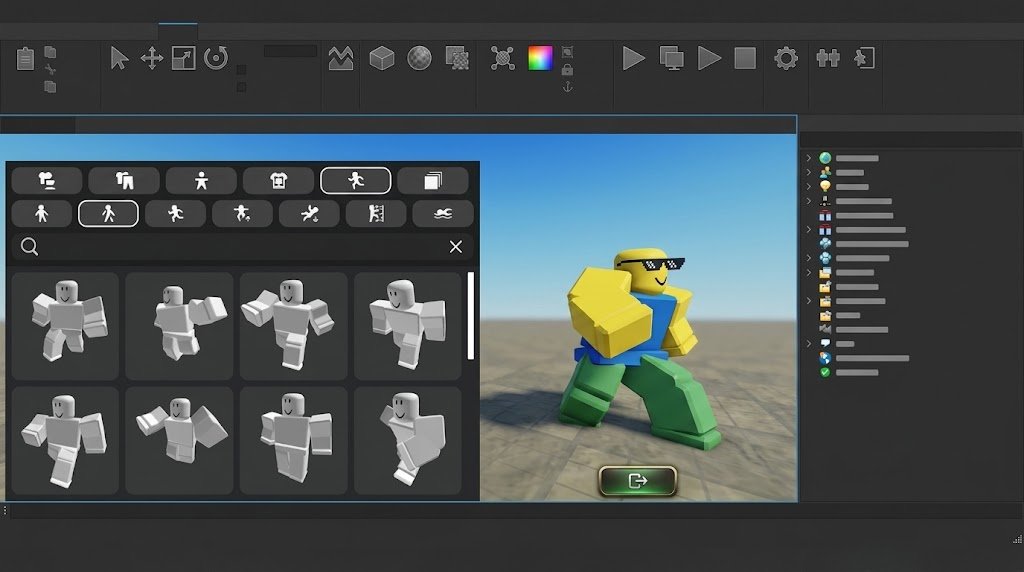
Creating a successful game on Roblox involves much more than simply designing a fun experience. Developers need the right tools to build, test, publish, manage, and improve their games, and the Roblox Creator Hub brings many of these resources together in one place.
Whether you are completely new to Roblox game development or already have experience creating experiences on the platform, learning how to use Roblox Creator Hub can make your development process more organized and efficient.
What Is Roblox Creator Hub?
Roblox Creator Hub is a central online resource for people who create experiences and other content for the Roblox platform. It provides access to development resources, documentation, tutorials, analytics, publishing information, and other tools designed to help creators turn their ideas into interactive experiences.
The platform is particularly useful because Roblox development involves several different stages. You may need to learn scripting, understand the Roblox development environment, manage your experience settings, analyze player behavior, and make improvements after launch.
Instead of treating each stage as a completely separate process, creators can use the Creator Hub as a central starting point for finding information and managing different parts of their development journey.
Getting Started With Roblox Creator Hub
The first step is to become familiar with the Creator Hub interface and the resources available to you. New developers can explore educational materials and documentation to understand how Roblox experiences are created, while more experienced developers can quickly access technical information when they encounter a specific development problem.
If you are new to game development, it is generally better to learn the fundamentals before attempting to create a large and complicated project. Understanding basic concepts such as parts, objects, scripting, game mechanics, user interfaces, and player interactions can give you a stronger foundation.
The Creator Hub can serve as a learning companion throughout this process. Rather than trying to memorize every feature or scripting method, you can use its documentation and guides whenever you need to understand how a particular system works.
Understanding Roblox Studio
One of the most important tools in Roblox game development is Roblox Studio. It is the development environment where creators can build environments, design gameplay systems, add scripts, test experiences, and prepare projects for publication.
Roblox Creator Hub and Roblox Studio serve different but closely connected purposes. Creator Hub provides documentation, learning resources, creator information, and management tools, while Studio is where much of the actual game-building work takes place.
For beginners, becoming comfortable with Studio should be one of the first priorities. Spend time learning how to navigate the workspace, insert and organize objects, modify properties, create basic environments, and test your experience before worrying about advanced features.
Learning Lua and Roblox Scripting
Scripting is one of the most powerful parts of Roblox development because it allows you to create interactive gameplay rather than static environments. Roblox uses Luau, a scripting language derived from Lua, for developing gameplay logic and systems.
Through scripting, you can create mechanics such as weapons, inventory systems, quests, checkpoints, currencies, shops, player abilities, interactive objects, and many other features.
The Roblox Creator Hub documentation can be particularly valuable when learning scripting because it explains Roblox-specific services, APIs, classes, events, properties, and programming concepts.
Beginners should avoid trying to build an extremely complicated system immediately. Starting with small projects, such as a simple door that opens when a player interacts with it or a basic collectible system, can help you understand how scripts work before you move toward more advanced mechanics.
Planning Your Game Before Building
One of the biggest mistakes new developers make is starting development without a clear idea of what they are trying to create. A game can contain impressive graphics and complicated systems but still struggle if the basic gameplay experience is not enjoyable.
Before opening Roblox Studio, think about the main purpose of your game. Decide what players are expected to do, why they would want to keep playing, and what makes your experience different from other games available on Roblox.
You do not necessarily need a lengthy design document. Even a simple concept describing the core gameplay loop, target audience, progression system, and major features can help keep development focused.
A clear plan can also prevent you from spending weeks creating features that do not contribute meaningfully to the player experience.
Building Your First Roblox Experience
Once you understand the basic tools and have a concept in mind, you can begin building your experience. Start with the core gameplay rather than attempting to make every visual element perfect from the beginning.
For example, if you are creating an obstacle course, focus first on movement, obstacles, checkpoints, and the basic progression system. If you are creating a simulator, establish the main gameplay loop before spending significant time on decorations and secondary features.
This approach allows you to test whether your idea is actually enjoyable before investing heavily in presentation.
As development progresses, you can gradually improve the environment, user interface, sound design, animations, effects, and other visual elements.
Testing Your Game Regularly
Testing should be part of the development process from the beginning rather than something you do only immediately before publication. Small problems can become much harder to identify when a project grows larger.
Use Roblox Studio’s testing capabilities to play your experience and examine how different systems behave. Pay attention to errors, unexpected interactions, performance problems, confusing interfaces, and mechanics that do not work as intended.
It is also useful to test your game from the perspective of a new player. Developers often become familiar with their own systems and may overlook confusing instructions or unnecessarily complicated mechanics.
A game that feels obvious to its creator may not be obvious to someone seeing it for the first time.
Publishing Your Roblox Game
When your experience is ready for players, Roblox provides tools for publishing and managing it. Your game should have an appropriate title, description, visual presentation, and configuration before you begin promoting it.
The presentation of an experience can influence whether players decide to click on it. A clear title and attractive thumbnail can communicate the concept quickly, while an informative description can explain what players can expect.
However, presentation should accurately represent the actual game. Promising features that are not available can create disappointment and reduce player trust.
Before making your experience public, check your settings carefully and test the published version as well. A game that works correctly in development can sometimes behave differently after publication because of configuration, permissions, or other factors.
Using Analytics to Understand Players
Building a game is only the beginning. Once players start using your experience, you need to understand what they are doing and where they may be losing interest.
Creator tools and analytics can help developers evaluate aspects of their experience and make more informed decisions. Instead of relying entirely on personal assumptions, you can look at available data to identify patterns in player behavior.
For example, if many players leave shortly after joining, it may indicate that the introduction is confusing, the game takes too long to explain, or the initial gameplay is not engaging enough.
Analytics should not replace creative judgment, but they can provide useful evidence when deciding which parts of a game deserve attention.
Improving Player Retention
Getting players to discover your game is important, but convincing them to return is often even more valuable. Player retention depends heavily on whether the experience provides a satisfying reason to continue playing.
Progression systems, unlockable content, meaningful challenges, social interaction, regular updates, and rewarding gameplay can all contribute to long-term engagement.
The key is to make progression feel meaningful rather than simply adding repetitive tasks. Players should understand what they are working toward and why the next achievement is worth pursuing.
Listening to player feedback can also reveal problems that analytics alone may not explain. Comments, community discussions, and direct feedback can help you discover what players enjoy and what they would like to see improved.
Growing Your Roblox Game
Once your game provides a solid experience, you can begin thinking about growth. Game growth involves more than advertising because long-term success generally depends on creating something players actually want to play and recommend.
Your game’s title, thumbnail, description, and overall presentation should make its concept easy to understand. Players should be able to quickly determine what type of experience it is and why they might enjoy it.
Regular updates can also give existing players reasons to return. New areas, gameplay mechanics, challenges, events, cosmetic items, or quality-of-life improvements can keep an experience feeling active.
However, updates should have a purpose. Adding features simply because they are new can make a game more complicated without making it more enjoyable.
Improving Your Game With Player Feedback
A growing Roblox game creates an opportunity to learn directly from its audience. Players experience your game differently from its developers, so their feedback can reveal usability problems, balancing issues, confusing mechanics, and ideas for future content.
Not every suggestion needs to be implemented. Instead, look for repeated patterns in feedback and determine whether those concerns align with your game’s goals.
Constructive feedback can become one of the most valuable development resources available to an independent creator. It provides real-world information about how players experience the systems you have built.
At the same time, developers should avoid changing the entire direction of a game based on a single comment. Good decisions usually come from combining player feedback, analytics, testing, and your own creative vision.
Optimizing Game Performance
Performance is another important part of building a successful Roblox experience. A game with attractive visuals and advanced systems may still provide a poor experience if it runs badly on the devices used by its audience.
Developers should pay attention to resource usage, unnecessary objects, scripts, effects, textures, and other elements that can affect performance. Testing on different devices can help identify problems that may not appear on a powerful development computer.
Performance optimization should be considered throughout development rather than left until the final stage. Keeping projects organized and efficient from the beginning can make later optimization much easier.
A smooth and responsive experience can improve player satisfaction and make your game more accessible to a broader audience.
Monetization and In-Game Purchases
Roblox also provides creators with ways to monetize eligible experiences. Monetization can include optional purchases and other systems that allow developers to generate revenue from their work.
The most important principle is to make monetization fit naturally into the game rather than allowing it to dominate the experience. Players should still be able to enjoy the core gameplay without feeling constantly pressured to spend.
Before adding monetization systems, think carefully about what players receive in return and whether the purchase improves convenience, customization, or optional progression without damaging the overall game balance.
Developers should also review Roblox’s current policies and documentation before implementing monetization features because platform rules and available systems can change over time.
Keeping Your Game Updated
A Roblox experience can evolve continuously after its initial release. Successful developers often treat launch as the beginning of an ongoing development cycle rather than the final destination.
After releasing an update, monitor how players respond and look for technical problems or unexpected gameplay effects. Then use what you learn to plan the next improvement.
A consistent development cycle can help you maintain momentum. Even relatively small improvements can demonstrate that an experience is actively maintained when they address meaningful player needs.
At the same time, avoid creating unrealistic update schedules. A sustainable development process is generally more useful than promising frequent updates that are difficult to deliver.
Common Mistakes New Roblox Developers Make
New developers often make the mistake of trying to create an enormous game as their first project. Large projects can involve complex scripting, extensive environments, complicated economies, multiplayer considerations, and significant testing requirements.
Starting smaller gives you an opportunity to finish something, learn from the development process, and understand what players respond to. Your first project does not have to become a massive success to be valuable.
Another common mistake is focusing too much on appearance before establishing enjoyable gameplay. Visual quality matters, but impressive graphics cannot compensate for a game that is confusing, repetitive, or frustrating.
Developers should also avoid copying successful games too closely. Studying popular experiences can help you understand what players enjoy, but developing your own concept and identity gives your project a stronger foundation.
Why Roblox Creator Hub Matters for Developers
Roblox Creator Hub is valuable because game development requires continuous learning. Even experienced creators eventually encounter unfamiliar systems, technical questions, platform changes, or new development challenges.
Having access to official documentation and creator resources makes it easier to research those problems and continue improving your skills.
The most effective way to use the Creator Hub is not simply to read everything from beginning to end. Instead, use it as a reference throughout your development journey, returning to relevant documentation whenever you need to learn a new system or solve a particular problem.
Over time, this habit can help you become more independent as a developer and reduce your reliance on trial and error.
Final Thoughts
Learning how to use Roblox Creator Hub can give new and experienced developers a more structured approach to building and growing their games. From learning development fundamentals and scripting to publishing experiences, analyzing player behavior, and improving gameplay, the platform can support many stages of the Roblox development process.
The most important thing is to focus on the player experience. A successful Roblox game does not necessarily need to be the biggest or most technically complicated project; it needs a clear concept, enjoyable gameplay, reliable performance, and a reason for players to return.
Start with a manageable idea, build the core experience, test it frequently, listen to your players, study available data, and improve gradually. By combining creativity with consistent development and the resources available through Roblox Creator Hub, you can give your game a stronger foundation for long-term growth.
