



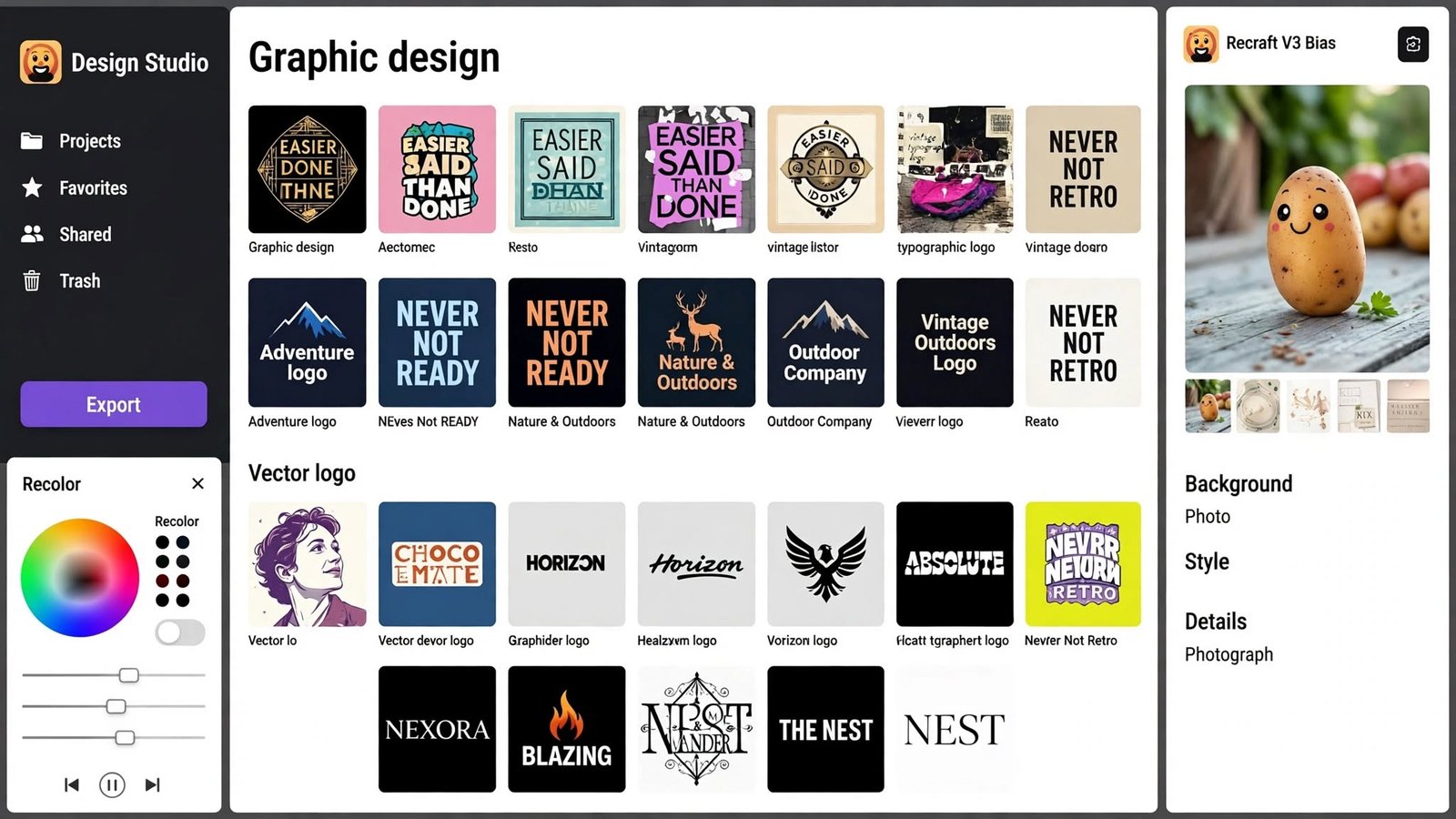
Creating professional logos, icons, and illustrations no longer requires years of graphic design experience or expensive design software. With Recraft, an AI-powered design tool, users can turn simple text descriptions into original visual assets, explore different creative styles, and refine their designs to match specific branding needs.
How can you create unique logos, icons, and illustrations with Recraft? Start by describing your idea in clear, specific language, choose a suitable visual style, generate several design variations, and refine the strongest result until it meets your requirements. By combining thoughtful prompts with careful editing, you can create visuals for websites, businesses, social media, marketing campaigns, and digital products.
What Is Recraft?
Recraft is an AI-powered visual design platform that helps users generate and edit images, vector graphics, illustrations, icons, and other creative assets. It is designed for a wide range of users, including graphic designers, marketers, business owners, content creators, and beginners who want to produce professional-looking visuals without building every element from scratch.
Unlike a basic image generator that focuses primarily on producing pictures, Recraft offers design-oriented features that are useful for creating consistent visual identities and reusable graphics. Depending on the available tools and plan, users can explore different styles, adjust colors, generate vector artwork, remove backgrounds, and refine images for specific projects.
One of its most useful qualities is the ability to experiment quickly. Instead of spending hours sketching multiple concepts, you can describe an idea, compare generated alternatives, and develop the most promising direction through further prompts and editing.
Why Use Recraft for Logos, Icons, and Illustrations?
Logos, icons, and illustrations serve different purposes, but they all benefit from clarity, consistency, and a recognizable visual style. Recraft can help streamline the creative process by generating concepts that would otherwise require substantial manual work.
For small businesses, it can provide an accessible starting point for brand development. A business owner can explore different logo concepts, test color combinations, and visualize how a brand might look before investing in a complete identity system. Designers can also use the platform to develop early concepts, create supporting graphics, or speed up repetitive production tasks.
Another advantage is creative flexibility. You can experiment with minimalist shapes, geometric artwork, hand-drawn illustrations, flat vector graphics, and more detailed visual styles. This makes it easier to compare different approaches without committing to a single design too early.
However, AI-generated results should be treated as starting points rather than automatically finished professional assets. Logos, in particular, often need careful refinement to ensure that they remain distinctive, legible, and suitable for long-term commercial use.
How to Create a Unique Logo With Recraft
Creating a logo with Recraft begins with understanding the brand you want to represent. Before entering a prompt, consider the business name, target audience, industry, brand personality, and the message the logo should communicate.
A technology startup might need a modern symbol that feels innovative and trustworthy, while a handmade skincare brand may benefit from softer shapes and a natural color palette. These differences should guide your prompt because a clear creative direction usually produces more relevant results than a vague request for an attractive logo.
Step 1: Define Your Brand Identity
Start by identifying the qualities that make the brand different. Think about whether the business should appear modern, luxurious, playful, professional, environmentally conscious, or approachable. Consider where the logo will appear, such as on a website, product packaging, business cards, social media profiles, or storefront signage.
These details help establish practical design requirements. For example, a logo intended for a small mobile app icon should remain recognizable at a tiny size, while a logo for a premium product might need more refined typography and a restrained color palette.
Step 2: Write a Specific AI Prompt
Once you have a clear direction, describe the logo you want Recraft to create. Include the type of business, the desired visual style, the main symbol, preferred colors, and any elements that should be avoided. Specific instructions help narrow the creative possibilities and make the generated concepts more relevant.
For example, you could use a prompt such as: “Create a minimalist vector logo for a modern coffee brand, featuring a simple coffee bean combined with a subtle leaf shape. Use dark brown and warm cream colors, clean geometric forms, balanced proportions, and a flat design style. Keep the background plain and the symbol recognizable at small sizes.”
This prompt communicates the subject, style, colors, and functional requirements without overcomplicating the design. You can change individual details in later attempts to explore alternative directions while keeping the core brand identity consistent.
Step 3: Generate and Compare Different Concepts
Rather than choosing the first generated logo, create several variations and compare their strengths. One concept may have a stronger symbol, another may offer better proportions, and a third may communicate the brand’s personality more effectively.
Evaluate each result according to simplicity, readability, originality, and versatility. A logo that looks impressive on a large screen may become difficult to recognize when reduced to a favicon or printed on a small label, so consider its practical use before making a decision.
Step 4: Refine the Best Design
After selecting a promising concept, use Recraft’s available editing and generation controls to adjust the colors, shapes, composition, and other visual details. If the symbol feels too complicated, ask for a simpler version. If the design looks too playful, specify cleaner geometry and a more restrained appearance.
Typography deserves special attention. AI tools may not always render brand names or lettering accurately, so inspect every character carefully. If the text is incorrect or inconsistent, consider generating the symbol separately and adding the final business name using a reliable text or vector-editing tool.
Step 5: Prepare the Logo for Real-World Use
Before using the logo commercially, check how it looks against light and dark backgrounds, at different sizes, and in both color and monochrome versions. A useful logo should remain clear on a website header, a social media profile, printed packaging, and other common applications.
Where available, export a vector format for scalable artwork and a suitable raster format for digital use. Vector files are especially valuable because they can generally be resized without losing sharpness. Keep the original editable file and create additional versions for different backgrounds or layouts when needed.
How to Create Custom Icons With Recraft
Icons are small visual elements that communicate information quickly. They appear in websites, mobile applications, presentations, dashboards, infographics, product interfaces, and marketing materials. Because icons are often displayed at small sizes, consistency and simplicity matter more than decorative detail.
Recraft can help generate custom icons that match a particular brand or interface. Instead of relying entirely on generic icon libraries, you can describe the exact visual language you need and explore variations that better suit your project.
Choose a Consistent Icon Style
Before generating individual icons, decide how the complete set should look. For example, you might choose flat monochrome icons, rounded line icons, solid geometric symbols, or colorful illustrations with subtle gradients. Keeping the style consistent prevents the finished collection from looking like a mixture of unrelated graphics.
For a finance application, a clean line-based style with uniform stroke widths may communicate clarity and professionalism. A children’s learning platform, on the other hand, might benefit from friendly shapes, brighter colors, and softer outlines.
Use Detailed Prompts for Better Results
A useful icon prompt should identify the object, the visual style, the level of detail, and the intended use. You can also specify a transparent or plain background where supported, along with requirements such as centered composition and minimal decoration.
For example, a prompt for a fitness application might read: “Create a simple flat vector icon representing physical activity, using a clean geometric silhouette, rounded corners, consistent proportions, and a limited blue-and-white color palette. Keep the design centered, recognizable at small sizes, and free from unnecessary decorative details.”
After generating the icon, review its silhouette and readability. If important details disappear when the image is reduced, simplify the design rather than adding more complexity.
Build a Complete Icon Collection
When creating a set of icons, consistency across the entire collection is essential. Use the same style description, color palette, background treatment, and level of detail for each item. Generate the icons individually if that gives you better control, then compare them side by side to identify differences in stroke thickness, proportions, spacing, and visual weight.
For example, an e-commerce website might need icons for shopping carts, product categories, delivery, customer support, payments, and returns. Each symbol should be easy to understand on its own while looking as though it belongs to the same design system.
Once the icons are ready, test them in the actual interface. A design that appears attractive in a large preview may not work well at the small sizes commonly used in navigation bars and mobile applications.
How to Create Illustrations With Recraft
Illustrations can make websites, articles, presentations, advertisements, and social media posts more engaging. They can also explain complex ideas in a more approachable way than text alone. Recraft helps users explore illustration concepts by translating written descriptions into visual compositions.
The key to creating useful illustrations is to describe not only the subject but also the intended purpose, composition, atmosphere, and artistic style. A prompt for an editorial illustration should be different from one intended for a children’s book, a software landing page, or a product advertisement.
Select the Right Illustration Style
Begin by choosing a style that suits your audience and message. Flat vector illustrations work well for many websites and educational materials because they are clean and easy to integrate into a layout. Isometric illustrations can communicate processes, systems, or digital environments, while hand-drawn styles may create a more personal and expressive feeling.
You can also explore editorial artwork, playful character illustrations, geometric compositions, or detailed conceptual scenes. The important thing is to select a style that supports the content rather than distracting from it.
Describe the Scene Clearly
An effective illustration prompt explains what should appear in the image and how the elements should be arranged. Include the main subject, supporting objects, environment, color palette, lighting where relevant, and overall mood. If the illustration will appear alongside website text, specify that the composition should leave suitable empty space for the surrounding layout.
For example, a prompt for a digital marketing article might say: “Create a modern flat vector illustration showing a small business owner planning a digital marketing campaign at a desk, with a laptop, simple analytics charts, and floating social media symbols. Use a coordinated blue, teal, and warm orange palette, clean shapes, balanced composition, and a professional yet friendly atmosphere.”
This description establishes a clear subject and visual direction while leaving enough room for the AI to produce creative variations.
Refine Composition, Color, and Detail
After generating an illustration, examine whether the main subject is immediately understandable. Look for awkward object placement, inconsistent shapes, unnecessary details, and colors that compete for attention. If the composition feels crowded, ask for fewer elements or more negative space.
Color adjustments can also improve the result. A website illustration may need to match existing brand colors, while an editorial image might require stronger contrast to attract attention. Small refinements to composition and color often make a bigger difference than adding extra visual elements.
Export Illustrations for Different Platforms
The final export should match the intended use. Website graphics generally need a suitable balance between image quality and file size, while printed materials may require higher resolution and appropriate print specifications. If the illustration contains transparent areas, confirm that the chosen format preserves transparency.
For assets that may need extensive resizing or editing, a vector format can be particularly useful when available. Always inspect the exported file at its intended display size and make sure the colors, edges, and composition remain consistent with the original design.
Tips for Writing Better Recraft Prompts
The quality of an AI-generated design depends partly on how clearly the request communicates the intended result. Broad prompts can produce attractive but generic images, whereas well-structured prompts help establish a more recognizable visual direction.
One effective approach is to describe five elements: the subject, the visual style, the color palette, the composition, and the intended use. For example, instead of asking for “a modern illustration,” specify a modern flat vector illustration of a delivery service, using a limited blue-and-orange palette, simple geometric shapes, a centered composition, and a clean appearance suitable for a business website.
It is equally important to avoid contradictory instructions. Asking for a design that is simultaneously extremely detailed, completely minimal, colorful, monochromatic, realistic, and cartoon-like can make the desired outcome unclear. Choose a primary style and use supporting details that reinforce it.
Experimentation is another important part of the process. If a result is close to what you want, change one or two details at a time instead of rewriting the entire prompt. This makes it easier to understand which instructions improve the output and helps preserve useful elements from earlier versions.
Finally, keep a record of prompts and settings that produce successful results. This is especially valuable when creating multiple icons, illustrations, or branded assets for the same project because it helps maintain a consistent visual language across future designs.
Common Mistakes to Avoid When Using Recraft
One frequent mistake is accepting the first generated design without comparing alternatives. AI tools can produce interesting concepts quickly, but the first result may not be the most practical or distinctive choice. Reviewing several options gives you a better chance of finding a design that fits the brand and works across different applications.
Another common problem is overloading prompts with unnecessary details. Excessive instructions can make the intended visual hierarchy difficult to communicate, especially when several styles or competing design requirements are included. Focus on the most important elements first, then refine the result through smaller adjustments.
Ignoring consistency is also a major issue when creating multiple assets. A set of icons may look attractive individually but feel disjointed when used together if their proportions, colors, and visual weight differ significantly. Establish a clear style guide before generating a collection, and review the finished assets as a group rather than in isolation.
For logos, failing to check text accuracy, distinctiveness, and commercial suitability can create additional problems. A generated symbol might resemble an existing brand, include unwanted visual elements, or fail to communicate clearly at small sizes. Review the design carefully and perform appropriate checks before using it as an official brand identity.
Is Recraft Suitable for Beginners and Professional Designers?
Recraft can be useful for both beginners and experienced designers, although they may use it in different ways. Beginners can use text prompts and generated variations to explore visual concepts without needing to master every traditional design technique immediately. This can be especially helpful for small businesses, independent creators, and people developing early ideas for personal projects.
Professional designers may find it valuable for concept exploration, rapid prototyping, visual experimentation, and the creation of supporting assets. Rather than replacing every stage of the design process, the tool can help reduce repetitive work and make it easier to test creative directions before refining them manually.
The most important distinction is between generating a visual and delivering a finished design. Professional work still requires judgment, attention to detail, accessibility considerations where relevant, and an understanding of how an asset will be used. A generated image may need adjustments to typography, alignment, proportions, file formats, or brand consistency before it is ready for publication.
Recraft for Branding, Marketing, and Content Creation
Beyond individual logos and illustrations, Recraft can support a broader range of visual communication projects. Businesses can explore graphics for website banners, advertising campaigns, social media posts, presentations, product promotions, and educational content. Content creators can use it to develop original visual concepts that help articles and digital publications stand out.
For branding projects, consistency should remain the priority. A recognizable visual identity depends on more than a single logo; it also includes supporting colors, illustration styles, iconography, typography, and repeated design choices. Using a defined palette and a consistent style across generated assets can help create a more unified brand experience.
Marketing teams can also experiment with different visual directions before committing to a campaign. For example, they might compare a minimalist product illustration with a more expressive lifestyle scene, then evaluate which approach better communicates the campaign’s message. This makes AI-assisted design particularly useful during early creative planning.
However, users should review licensing terms, usage rights, and any applicable restrictions before publishing or selling generated assets. Businesses that intend to use AI-generated designs as core brand elements should also consider originality checks and professional review.
Recraft vs. Traditional Graphic Design
AI-assisted design and traditional graphic design are best understood as complementary approaches rather than complete substitutes. Recraft can help generate concepts, explore styles, and produce initial artwork quickly, while traditional design tools and human expertise remain important for precise control, detailed editing, and final production.
For someone who needs a quick illustration for a blog post, an AI-generated image may be sufficient after a careful review. A business developing a long-term brand identity, however, may require more extensive work involving typography, brand strategy, scalability, originality, and a complete set of visual guidelines.
The most effective workflow often combines both approaches. Use Recraft to generate and explore ideas, select the strongest concept, and then refine the design with appropriate editing tools. This approach preserves the speed of AI generation while allowing the final result to meet the practical and creative requirements of the project.
Final Thoughts
Recraft offers a flexible way to create logos, icons, and illustrations with AI, making visual experimentation more accessible to beginners, business owners, marketers, and professional designers. By starting with a clear idea, writing specific prompts, exploring variations, and refining the strongest results, users can develop visual assets that better match their creative goals.
The best results come from treating AI as a design assistant rather than expecting it to make every decision automatically. Careful attention to composition, consistency, readability, and practical use helps turn an interesting generated image into a useful design asset.
Whether you are building a brand identity, creating a collection of interface icons, or producing illustrations for digital content, a thoughtful workflow can help you get more value from Recraft. Start with a focused concept, experiment with different approaches, and take the time to refine the final design before putting it to use.
