



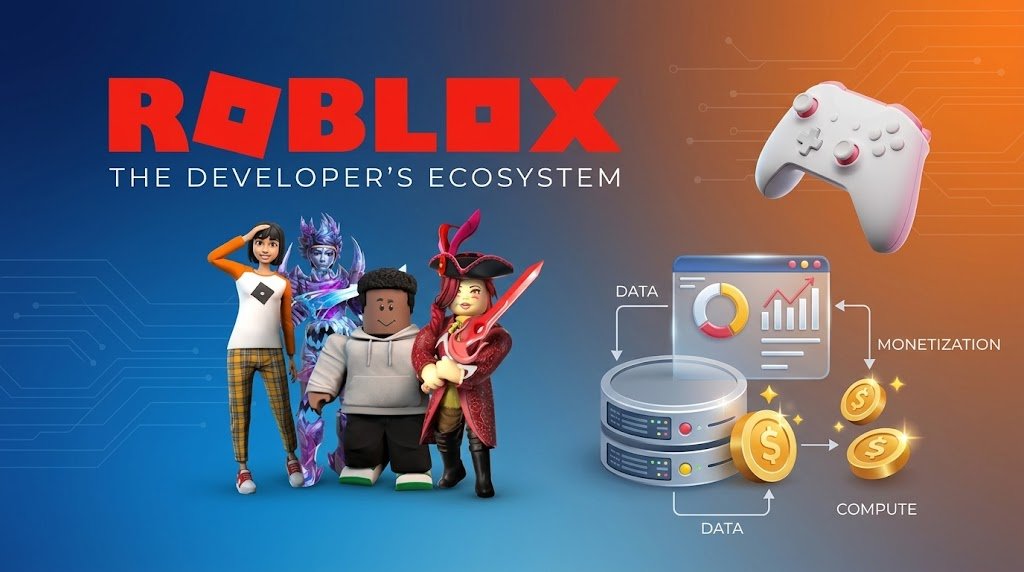
Roblox Studio is the official development environment used to create, design, test, and publish experiences on the Roblox platform. It gives creators a wide range of tools for building interactive worlds, adding gameplay mechanics, designing environments, and scripting features without requiring a traditional game-development engine.
In 2026, Roblox Studio remains an accessible starting point for aspiring game developers because it combines visual development tools with programming capabilities. Whether you want to create an obstacle course, role-playing game, simulator, adventure experience, or another type of interactive project, Roblox Studio provides the core tools needed to turn an idea into a playable experience.
For beginners, one of the biggest advantages is that you can start experimenting without having extensive game-development experience. As you become more comfortable with the interface, you can gradually learn scripting, user-interface design, 3D modeling concepts, optimization, and other development skills.
What Is Roblox Studio?
Roblox Studio is a development application designed specifically for creating experiences on Roblox. Instead of building everything from scratch with complex programming frameworks, creators can use its visual interface to construct environments and then add functionality through scripts.
The platform is particularly useful because building and programming can happen within the same development environment. You can create a map, place objects, adjust lighting, design interfaces, and write code while working on the same project.
Roblox Studio also includes tools for testing your experience before publishing it. This allows developers to identify problems, experiment with gameplay ideas, and make improvements before players interact with the finished project.
Why Learn Roblox Studio in 2026?
Learning Roblox Studio can be a practical way to develop foundational game-development skills. The platform introduces beginners to important concepts such as level design, scripting, game logic, player interaction, interface design, asset management, and performance optimization.
Another reason to learn Roblox Studio is its gradual learning curve. A new creator can begin by modifying simple objects and building basic environments, then progress toward more sophisticated systems as their knowledge improves.
The skills developed through Roblox Studio can also provide a useful introduction to broader areas of technology. Understanding programming logic, variables, events, functions, object-oriented concepts, and user experience can make it easier to explore other game engines and development platforms later.
Getting Started With Roblox Studio
The first step is to install Roblox Studio and become familiar with its main interface. When you open a new project, you will encounter different panels and tools that control the workspace, objects, properties, assets, and testing features.
Beginners should spend some time exploring the interface before attempting a complicated game. Understanding where objects are stored, how properties are changed, and how the different editing tools work can make the development process much easier.
Starting with a simple project is usually more effective than immediately attempting a large multiplayer game. A small obstacle course or basic interactive environment can teach you fundamental concepts while keeping the project manageable.
Understanding the Roblox Studio Interface
The Roblox Studio interface contains several important areas that developers use throughout the creation process. The main viewport is where you build and visually inspect your game world, while panels such as Explorer and Properties help you manage objects and modify their settings.
The Explorer panel provides a structured view of objects within your experience. Learning how this hierarchy works is important because Roblox experiences contain many different objects, services, scripts, models, and other components.
The Properties panel allows you to change characteristics of selected objects. For example, you can modify an object’s size, position, color, material, transparency, and other available settings.
The toolbar provides tools for moving, scaling, rotating, and manipulating objects. Becoming comfortable with these basic controls is one of the first milestones for a new Roblox Studio creator.
Building Your First Roblox Game
Creating your first game does not require a complicated concept. A simple project can teach you many of the fundamentals needed for larger experiences.
For example, you could create a basic obstacle course containing platforms, checkpoints, hazards, and a finishing area. Building this type of project introduces you to environment design while giving you opportunities to experiment with simple gameplay mechanics.
The important goal is not to create a massive game immediately. Instead, focus on understanding how individual elements work and how they interact with one another.
As you build, test your project frequently. Small testing sessions make it easier to discover problems because you can identify which recent change may have caused an unexpected behavior.
Learning Luau Scripting
One of the most important skills for Roblox Studio development is scripting. Roblox uses Luau, a scripting language derived from Lua, to create interactive gameplay systems and control how objects behave.
You can use scripts to respond to player actions, change objects, create game mechanics, manage scores, control interfaces, and build many other systems. Even a basic understanding of variables, functions, conditions, loops, and events can allow you to create significantly more interactive experiences.
Beginners should avoid trying to memorize large amounts of code. It is more useful to understand what each part of a script does and learn how different pieces of logic work together.
A good learning process is to create small features one at a time. For example, you might first make an object react when a player touches it, then build on that idea to create checkpoints, rewards, doors, or other gameplay systems.
Designing Better Game Environments
Game development is not only about programming. The visual design of your Roblox experience can strongly influence how players understand and enjoy the game.
When designing an environment, consider how players move through the space and where you want their attention to go. Consistent colors, useful landmarks, appropriate lighting, and clear paths can make a game world easier to navigate.
You should also avoid filling every area with unnecessary objects. A well-organized environment can often look more professional than a crowded one because each element has a clear purpose.
As your skills improve, you can explore advanced environment techniques such as terrain creation, lighting adjustments, custom assets, animations, and more detailed level design.
Using Assets in Roblox Studio
Roblox Studio provides access to assets that can help creators build experiences more efficiently. These may include models, sounds, images, meshes, and other development resources.
However, beginners should evaluate assets carefully before adding them to a project. An asset may contain scripts or components that behave differently from what you expect, so understanding what you are adding is an important part of responsible development.
Whenever possible, learn how an asset works instead of simply adding large numbers of pre-made objects. This approach helps you develop your own skills and gives you greater control over your game’s performance and behavior.
Testing Your Roblox Game
Testing is a major part of the Roblox Studio development process. A game that appears to work correctly while editing may behave differently when players actually interact with it.
Use Studio’s testing features to simulate gameplay and check movement, interactions, scripts, interfaces, and other systems. Test repeatedly after making significant changes rather than waiting until the entire project is finished.
It is also useful to test unusual situations. Players may move in unexpected ways, interact with objects in an order you did not anticipate, or trigger multiple events quickly. Finding these issues early can prevent larger problems later.
Improving Performance
Performance becomes increasingly important as a Roblox project becomes more complex. Large numbers of objects, inefficient scripts, excessive effects, and poorly optimized assets can affect how smoothly an experience runs.
Good optimization begins during development rather than after a project becomes difficult to manage. Keep your workspace organized, remove unnecessary objects, and pay attention to how scripts and assets affect the overall experience.
Testing on different devices can also help reveal performance problems. An experience that performs well on a powerful computer may behave differently on less powerful hardware, so developers should consider a broad range of players when designing their projects.
Publishing Your Roblox Experience
Once your project has been tested and refined, you can prepare it for publication on Roblox. Before making an experience available to players, review its name, description, visual presentation, gameplay, and overall quality.
A clear title and useful description can help players understand what your experience offers. An attractive thumbnail and consistent visual identity can also make the project easier to recognize.
Publishing should not be considered the final stage of development. Successful experiences often continue to receive improvements, bug fixes, new features, and content updates after launch.
Tips for New Roblox Developers
The best way to improve with Roblox Studio is to build consistently. Instead of spending all your time watching tutorials, create small projects that require you to apply what you have learned.
Do not be discouraged by errors. Bugs are a normal part of software development, and learning how to identify and fix them is one of the most valuable skills you can develop.
It is also helpful to study successful Roblox experiences from a design perspective. Think about how their interfaces work, how levels guide players, how rewards encourage progression, and how gameplay systems keep players engaged.
Most importantly, start small and gradually increase the complexity of your projects. Completing a simple game can teach you more about development than abandoning an ambitious project that is too difficult to manage.
Common Mistakes to Avoid
One common mistake among beginners is attempting to create a highly complex game before understanding the fundamentals. Large projects can quickly become overwhelming when you are still learning basic scripting and project organization.
Another mistake is relying too heavily on pre-made assets or copied scripts without understanding how they work. While reusable resources can speed up development, learning the underlying concepts gives you greater flexibility and helps you troubleshoot problems.
Ignoring testing and optimization can also create difficulties later. Regular testing, organized project structure, and attention to performance can save significant time as your game becomes larger.
The Future of Roblox Game Development
Roblox Studio provides an entry point into game development while allowing creators to continue learning more advanced techniques over time. As interactive experiences become increasingly sophisticated, developers can combine programming, 3D design, storytelling, interface design, audio, and multiplayer systems to create increasingly ambitious projects.
For someone starting in 2026, the most valuable approach is to focus on fundamentals rather than chasing every new feature. Strong development habits, creative problem-solving, and an understanding of how gameplay systems work will remain useful as tools and technologies evolve.
Conclusion
Roblox Studio is a powerful starting point for anyone interested in learning game development in 2026. Its combination of visual building tools, scripting capabilities, testing features, and publishing options allows beginners to progress from simple experiments to increasingly advanced interactive experiences.
The most effective way to learn Roblox Studio is through practice. Start with a small project, learn the basics of Luau scripting, experiment with environments and gameplay mechanics, test your work regularly, and gradually take on more challenging projects.
With patience and consistent practice, Roblox Studio can help you develop not only Roblox-specific skills but also broader foundations in programming, game design, problem-solving, and digital creation.

1 Comment
Pingback: The Rise of Rivals: How Competition Is Changing the Game