



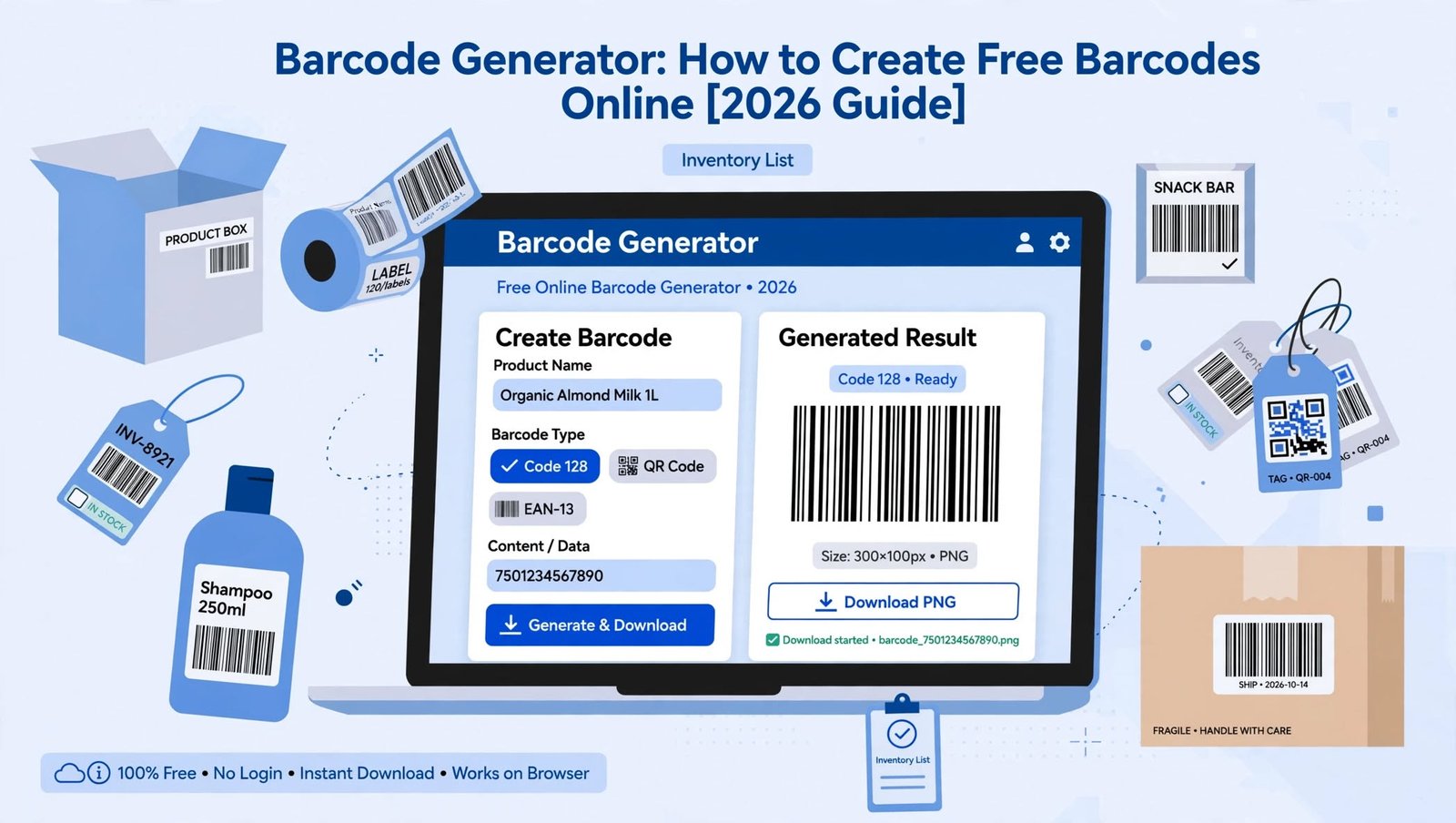
What Is a Barcode Generator and How Does It Work?
A barcode generator is an online tool or software application that converts information, such as a product number, inventory ID, or tracking code, into a scannable barcode. You can create barcodes for free using a web-based generator, download the resulting image, and print it on product labels, packaging, documents, or inventory tags without installing specialized software.
In 2026, free online barcode generators make the process accessible to individuals, small businesses, retailers, warehouse managers, and online sellers. Most tools require only a few simple steps: choose a barcode format, enter the required data, adjust the appearance if necessary, and download the finished barcode.
However, creating a barcode image is only part of the process. The barcode must contain the correct information, follow the rules of its intended format, and remain readable when printed or displayed on a screen. Understanding these details helps you avoid scanning problems and choose the right barcode for your particular needs.
How to Create Free Barcodes Online
Creating a barcode online is straightforward, even if you have never used one before. The important thing is to decide what information the barcode should represent and where you intend to use it before selecting a generator.
Step 1: Choose a Reliable Free Barcode Generator
Start by selecting an
that supports the format you need and allows you to download the finished image without unexpected restrictions. A useful tool should provide clear format options, accept the appropriate type of data, and offer a practical output format such as PNG, SVG, or PDF.
For occasional tasks, a browser-based generator is usually sufficient. Businesses that need thousands of barcodes, automated product labeling, or connections with inventory software may benefit from a more advanced solution, but there is no reason to pay for features you do not need.
Before entering sensitive information, review how the tool handles submitted data. If your barcodes represent confidential assets, internal identifiers, or private operational records, consider using a trusted offline application instead.
Step 2: Select the Correct Barcode Format
Barcode formats are designed for different purposes, so choosing one simply because it appears familiar can lead to compatibility problems. Retail products, warehouse inventory, shipping labels, and internal asset tracking may require different barcode standards.
For example, Code 128 is commonly used for inventory identification, logistics, and general-purpose labeling because it can encode letters, numbers, and other supported characters efficiently. EAN-13 and UPC-A are widely associated with retail products, while QR codes and other two-dimensional formats can store more information in a compact area.
If you are creating a barcode for an existing product, check the identifier and format required by the retailer, marketplace, or distribution system. Selecting a compatible format at the beginning can prevent the need to redesign labels later.
Step 3: Enter the Information You Want to Encode
Once you have selected a format, enter the appropriate data into the generator. Depending on the barcode type, this might be a product identifier, inventory number, serial number, shipment reference, or other supported text.
Accuracy matters more than appearance at this stage. A single incorrect digit can cause a product to be identified incorrectly or prevent a barcode from matching the record stored in your software.
For internal business use, establish a consistent numbering system before generating a large batch of codes. For example, a company might assign identifiers beginning with a department prefix followed by a sequential number, making its inventory easier to organize and maintain.
Step 4: Customize the Barcode Design
Many free generators allow you to adjust the barcode’s dimensions, image format, colors, and displayed text. These settings can help the barcode fit neatly on a label or product package, but customization should never interfere with scanning reliability.
Use a clear contrast between the bars and the background, typically dark bars on a light surface. Avoid placing patterns, logos, or decorative elements over the encoded area, and leave the required blank margins around the barcode so a scanner can distinguish it from nearby printing.
If the barcode will appear on a small label, test the final dimensions before producing a full batch. A barcode that looks sharp on a computer monitor may become difficult to scan after being reduced, blurred, or printed on a low-quality printer.
Step 5: Generate and Download the Barcode
After checking the data and settings, select the generator’s option to create the barcode. The tool converts your information into a pattern that compatible barcode readers can interpret.
Download the result in a format suited to your intended use. PNG is convenient for everyday documents and digital labels, while SVG is useful when you need scalable artwork that retains sharp edges at different sizes. PDF can be helpful when preparing print-ready labels or documents, provided the chosen tool supports the required layout.
Keep a record of the information associated with each generated barcode, especially when creating codes for inventory or assets. Saving the identifier alongside the relevant product or database entry makes future updates and troubleshooting much easier.
Step 6: Test the Barcode Before Using It
Never assume that a successfully generated image is automatically ready for operational use. Scan the barcode with a compatible reader or scanning application and confirm that the returned information exactly matches the original data.
For printed labels, test a physical sample using the type of scanner and printing equipment you expect to use in everyday operations. Check the barcode under ordinary lighting and at a realistic scanning distance, paying particular attention to small labels, glossy surfaces, and curved packaging.
If scanning fails, inspect the image quality, contrast, dimensions, margins, and encoded data. Correcting these issues before printing hundreds of labels can save time, materials, and avoidable disruptions.
Understanding the Main Types of Barcodes
The most suitable barcode depends on the information you need to encode, the equipment that will read it, and the system in which it will be used. Learning the differences between common formats makes it easier to select a generator that meets your requirements.
Code 128: A Flexible Choice for Business Use
Code 128 is a one-dimensional barcode that can represent letters, numbers, and various supported characters. It is frequently used for inventory labels, warehouse operations, shipping processes, and internal identification because it accommodates a wide range of data.
This format is particularly useful when a business needs to encode an alphanumeric reference rather than a standard retail product number. However, its dimensions depend partly on the amount of information encoded, so longer values generally require more horizontal space.
Code 39: Useful for Identification and Asset Tracking
Code 39 is another one-dimensional format used in applications such as equipment labeling, industrial identification, and internal asset management. It supports uppercase letters, numbers, and a defined set of additional characters.
Its relatively simple structure makes it suitable for many established identification systems. However, Code 39 can occupy more space than some alternatives when encoding comparable information, so label size should be considered before choosing it.
EAN-13: Commonly Used for Retail Products
EAN-13 is a standardized barcode format widely used to identify retail products in many markets. It contains 13 digits and is designed for systems that recognize compatible retail product identifiers.
Creating an EAN-13 image does not automatically give a product a legitimate retail identity. If a product needs to be sold through retailers or marketplaces that require officially assigned product identifiers, you must obtain the appropriate identifier through the relevant issuing organization or an authorized source.
This distinction is essential for businesses launching new products. A barcode can be visually correct while still containing an identifier that is invalid, duplicated, or unsuitable for the intended retail system.
UPC-A: A Familiar Format for Retail Scanning
UPC-A is commonly associated with retail products, particularly in North American markets. It uses a 12-digit number and is supported by many point-of-sale systems.
Like EAN-13, UPC-A is intended for product identification within established retail systems rather than arbitrary labeling. Businesses should confirm the identifier requirements of their sales channels before generating and printing UPC-A barcodes.
QR Codes: When More Information Is Needed
QR codes are two-dimensional codes that can store information in both horizontal and vertical patterns. Depending on the content and encoding settings, they can represent website addresses, text, contact details, and other supported data.
Unlike traditional one-dimensional barcodes, QR codes can encode substantially more information in a relatively compact area. They are useful for product instructions, event registration, digital menus, marketing materials, and links to online resources.
A QR code is not automatically a replacement for a retail barcode. If a checkout system expects a UPC or EAN identifier, a QR code containing the same number may not be recognized as the required product code.
ITF-14: Designed for Packaging and Distribution
ITF-14 is commonly used to identify trade items packaged for shipping, storage, and distribution. It is associated with outer packaging and logistics applications where standardized identification is important.
Businesses should confirm whether their supply chain requires ITF-14 and which packaging and printing specifications apply. Choosing this format without checking the receiving system’s requirements may result in labels that cannot be processed correctly.
Free Online Barcode Generators: What Features Should You Look For?
Not every barcode generator offers the same capabilities, even when both tools advertise free access. Some provide basic barcode images, while others include batch generation, downloadable vector files, label templates, or integration with business software.
For occasional use, the most important features are support for the correct barcode standard, straightforward data entry, reliable image output, and the ability to download the result without unnecessary complications. A simple interface is valuable because it reduces the likelihood of selecting an incorrect format or changing an important setting by mistake.
People who create barcodes regularly should look for additional functions such as spreadsheet imports, sequential numbering, bulk downloads, and customizable print layouts. These features can reduce repetitive work when labeling large inventories, managing equipment, or preparing products for distribution.
It is also worth checking whether the tool adds a watermark, limits downloads, or requires an account. A generator that produces a clean, high-resolution image without unnecessary restrictions may be more useful than a feature-heavy service that complicates a simple task.
Privacy deserves attention as well. Some generators process data within your browser, while others send submitted values to a remote server. If your codes contain confidential internal references or commercially sensitive information, choose a method that matches your organization’s data-handling requirements.
How to Generate Barcodes in Bulk
Generating one barcode at a time is manageable for a few items, but the process becomes inefficient when a business needs hundreds or thousands of unique labels. Bulk barcode generation allows users to create multiple codes from a structured list instead of repeating the same steps for every item.
A common approach is to organize identifiers in a spreadsheet, with each row representing a product, asset, or inventory record. The file can include the unique code, item name, category, and any other fields needed for the associated label, depending on the generator’s import capabilities.
Before generating the complete batch, check that identifiers are unique where uniqueness is required and that each value follows the intended format. Standardized naming rules and validation checks help prevent duplicated codes, missing entries, and inconsistent formatting.
After creating the batch, compare the generated labels against the source spreadsheet and test a representative sample. Businesses with complex inventory requirements should also confirm that each barcode is correctly linked to the corresponding record in their inventory management system.
For frequent or high-volume work, desktop software, label-design applications, or barcode libraries may be more practical than a basic online generator. The right choice depends on the number of labels, the required level of automation, and how closely barcode creation must connect with other business processes.
How to Print Barcodes for Clear and Reliable Scanning
Printing quality has a direct effect on whether a barcode can be read consistently. Even when the encoded data is correct, poor contrast, damaged lines, insufficient margins, or inappropriate sizing can make the finished label difficult for scanners to interpret.
Choose a suitable label material and printing method for the environment in which the barcode will be used. Paper labels may be sufficient for office files and temporary inventory, whereas thermal labels or more durable materials may be preferable for warehouses, shipping operations, or equipment exposed to frequent handling.
Maintain the barcode’s original proportions when resizing it. Stretching or compressing the image can distort the encoded pattern, and excessive reduction may cause individual bars to become too narrow for the printer or scanner to reproduce reliably.
Keep the background plain and ensure that no text, borders, or other graphic elements intrude into the required quiet zone around the barcode. If the label will be attached to a curved object, consider how the surface affects scanning and test the actual placement before printing in quantity.
Always print a sample at the intended production size. Scan it with the equipment used by the people who will handle the products, then adjust the layout or printing settings if the result is inconsistent.
Are Free Barcode Generators Suitable for Business Use?
Free barcode generators can be suitable for many small businesses and everyday identification tasks. They are often sufficient for creating internal asset labels, organizing office supplies, tracking equipment, marking storage locations, and preparing simple inventory stickers.
The important distinction is between generating a barcode image and establishing a complete identification system. A free tool can convert a number into a scannable pattern, but it does not necessarily assign an official product identifier, maintain inventory records, verify regulatory compliance, or connect the code to a sales platform.
Businesses selling products through retailers or online marketplaces should confirm which barcode standards and identifier sources those channels accept. A code that scans correctly on a smartphone may still be rejected by a retailer’s product database or checkout system if its identifier does not meet the applicable requirements.
For internal operations, the business can often define its own identifier structure, provided the selected format supports the data and the organization maintains consistent records. For retail distribution, the requirements are more specific, and obtaining a valid identifier may involve a separate registration process or fee.
As operations grow, the limitations of a basic generator may become more noticeable. Teams handling multiple locations, frequent stock movements, product variations, or large label volumes may benefit from integrated barcode software that keeps identifiers, inventory records, and printing workflows synchronized.
Common Barcode Generation Mistakes and How to Avoid Them
One of the most frequent mistakes is selecting a barcode format without considering the system that will scan it. A format designed for general inventory identification may not satisfy the requirements of a retail checkout system, so confirm compatibility before producing labels.
Another problem is encoding the wrong value. Transposed digits, extra spaces, missing characters, and accidental changes to leading zeros can create mismatches between physical labels and digital records. Use validation rules where possible, and treat identifiers as text in spreadsheets when necessary to preserve their exact characters.
Poor printing quality is another common cause of failure. Low resolution, inadequate contrast, damaged labels, or excessive resizing can prevent reliable scanning even when the original barcode was generated correctly. Testing the finished printed label is more useful than checking only the image displayed on a screen.
Some users also assume that generating a barcode automatically makes its contents private or secure. Ordinary barcodes are generally designed to be readable by compatible scanning devices, so information encoded directly into them should not be treated as confidential merely because it is represented by lines or squares.
Finally, avoid creating duplicate identifiers when the business requires each item or record to be uniquely identifiable. Maintain a central list, establish clear naming rules, and decide how codes will be assigned before expanding the system.
Barcode Generator vs. QR Code Generator: Which One Do You Need?
A traditional barcode generator is usually the better choice when you need a one-dimensional code for product identification, stock management, asset labeling, or scanning through an established business system. These formats are widely used in environments where compact, standardized identifiers are more important than storing large amounts of information.
A QR code generator is often more suitable when the goal is to provide quick access to a website, digital document, contact information, product instructions, or another resource. Users can generally scan a QR code with a compatible smartphone camera without requiring a dedicated traditional barcode scanner.
The decision should be based on the intended workflow rather than the appearance of the code. If the code must work with a retailer’s point-of-sale equipment, warehouse scanner, or existing database, verify the supported standard before choosing a generator.
In some cases, both formats can be useful on the same product or package. A standardized retail barcode can support checkout and inventory processes, while a QR code can direct customers to setup instructions, warranty information, or additional product details.
Frequently Asked Questions About Free Barcode Generators
Can I create a barcode online for free?
Yes. Many online tools allow you to enter information, choose a supported barcode format, generate an image, and download it without paying. Free features vary by provider, so check for restrictions on image formats, batch processing, and print quality before starting.
Do I need to install software to generate a barcode?
No. A browser-based generator can handle many basic barcode tasks without requiring installation. Dedicated desktop applications may be more convenient for bulk generation, specialized label layouts, or recurring business workflows.
Can I create a barcode using Excel?
Yes. You can organize identifiers in Excel and use compatible barcode fonts, add-ins, or external generation tools to produce scannable labels. The correct method depends on the barcode standard, and you should verify any font-based output because simply changing a cell’s font does not guarantee that the resulting pattern is valid.
Can I generate a barcode for my own product?
Yes, you can create a barcode image for a product, but you must distinguish between producing the image and obtaining a legitimate product identifier. If a retailer or marketplace requires a recognized retail identifier, follow its requirements and obtain an eligible code through the appropriate issuing organization or an authorized provider.
Are free barcode generators safe to use?
Many are suitable for ordinary, non-sensitive information, but safety depends on how the particular service operates. Review its data-handling practices, avoid entering confidential information into unfamiliar websites, and consider offline tools when the data must remain within your organization.
Which barcode image format is best?
PNG is convenient for everyday use, while SVG is generally preferable when you need to scale the artwork without losing sharpness. PDF may be useful for preparing print-ready documents, especially when multiple labels must fit on a page.
The best option ultimately depends on your printing workflow, the software you use, and whether the image will be resized after generation.
Why is my generated barcode not scanning?
Common causes include an incorrect barcode format, invalid input, insufficient contrast, poor print quality, distorted proportions, or missing quiet zones. Check the encoded data first, then test the barcode at its final printed size with a compatible scanner.
Can a barcode contain a website address?
Some barcode formats can encode website addresses, but not all are suitable for that purpose. QR codes are commonly used for web links, while traditional one-dimensional barcodes generally serve identification workflows in which a scanner retrieves related information from a connected system.
Do barcodes expire?
A barcode image does not normally expire simply because time has passed. However, the identifier it represents may become inactive, change status, or stop being recognized by a particular database, retailer, or inventory system.
For this reason, businesses should manage the underlying records as carefully as the barcode images themselves.
Final Thoughts: Choosing the Right Free Barcode Generator in 2026
Creating a barcode online is a practical way to label products, organize inventory, track equipment, and simplify everyday business tasks. With a suitable free generator, you can select a format, enter your information, download a barcode image, and prepare it for printing in just a few steps.
The most important decision is choosing a format that matches the system in which the barcode will be used. Code 128 and Code 39 can serve many internal identification needs, EAN-13 and UPC-A are associated with retail product identification, and QR codes are useful when you want to encode links or other information in a two-dimensional pattern.
Before putting any barcode into use, verify the data, preserve the required dimensions and margins, and test a printed sample with the intended scanning equipment. If the barcode is being used for retail distribution, confirm the relevant identifier requirements instead of assuming that a generated image automatically qualifies as an approved product code.
Ultimately, the best barcode generator is one that fits your actual requirements, produces dependable results, and makes it easy to maintain accurate records. Starting with the right format and a consistent identification process will help ensure that your barcodes remain useful as your personal project or business grows.
